Access Your ID Card Online
Did you know that you don’t need your physical ID card to use your health benefits?
You can access your Promise Health Plan ID card anytime, from anywhere (including your doctor’s office) via:
myPromiseHealthPlan Mobile app

myPromiseHealthPlan.com member portal
Using the myPromiseHealthPlan.com Member Portal
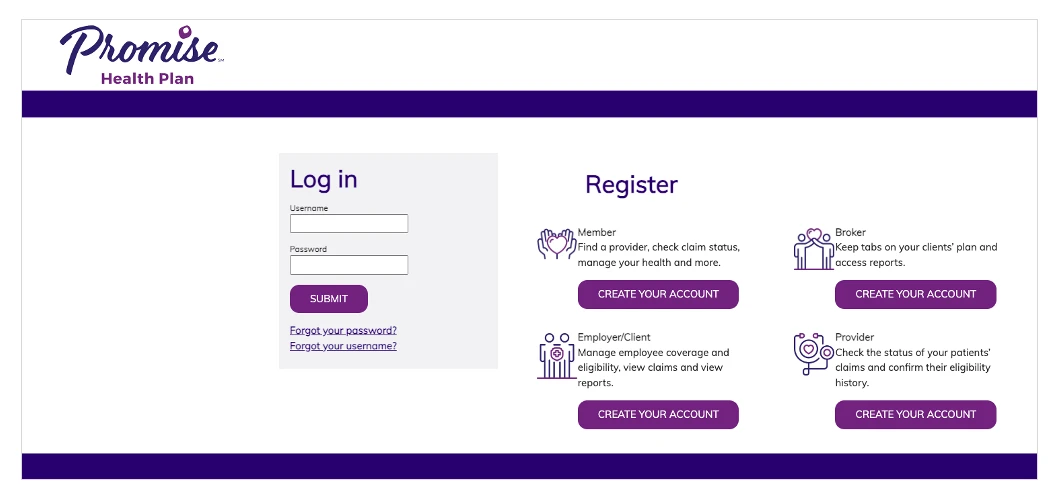
Step 1
Go to the myPromiseHealthPlan.com member portal and log in. If you’ve never used the portal before, you will have to complete a quick one-time registration process.
Step 2
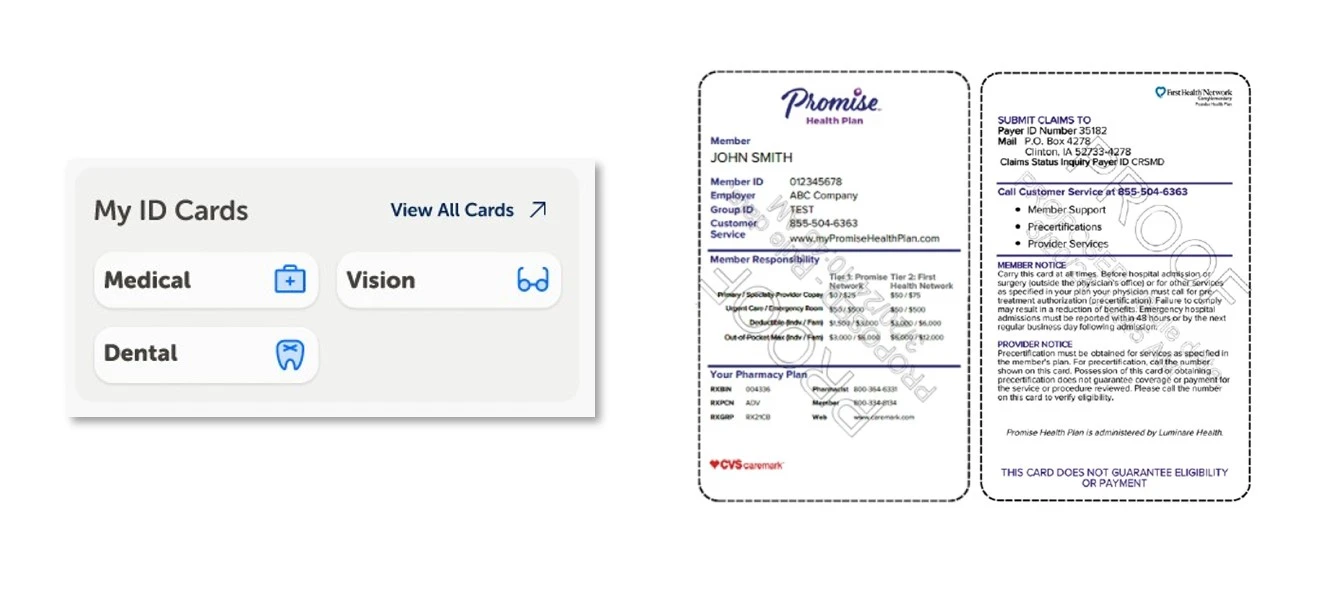
Go to the My ID Cards section of your home page. Click on the ID card you would like to view.
NOTE: The links in your My ID Cards section and the details on your ID card will vary depending on your specific plan benefits.
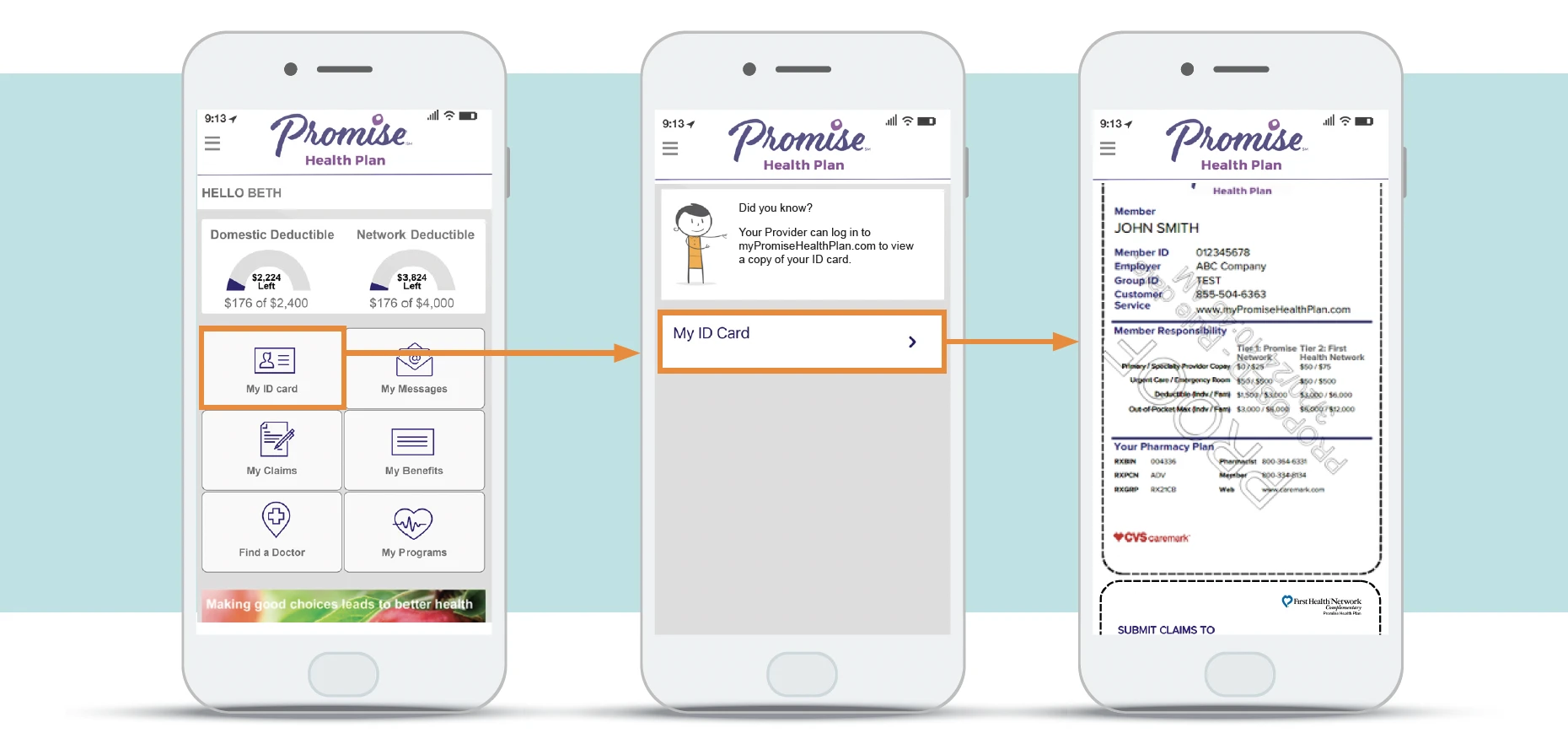
myPromiseHealthPlan Mobile App
You can also access your ID card via our mobile app, myPromiseHealthPlan Mobile, available for free download from the Apple App Store or Google Play


If you have any questions, please call customer service at 855-504-6363 or send us a message using the myPromiseHealthPlan.com Member Portal.
R450-2455_PHP